Working With AI
The grunt work is gone
Five years ago most of a website build was mechanics: moving ideas between formats, waiting on approvals, writing boilerplate that had been written a thousand times. That rhythm has broken, and what is left is the part that was always the hard bit.
Five years ago, a mid-sized website build followed a predictable rhythm: a week or two of discovery and sitemapping, another week of wireframes and client sign-off, a design-system pass, then a long stretch of translating static comps into working HTML, CSS and components. Most of that time was not spent on craft. It was spent on mechanics — moving ideas from one format to the next, waiting on approvals, and writing boilerplate that had been written a thousand times before.
That rhythm has broken. Tools like Figma’s AI features, Relume, v0 and Cursor have compressed the mechanical stretches of a build into minutes, and the shift is not cosmetic. It is structural. The realistic version of what is happening is not “AI replaces designers”. It is that AI has started absorbing the repetitive, low-judgment steps of the process — architecture drafts, first-pass layouts, boilerplate components, placeholder content — and pushing designers up the value chain into the role of visual strategist, editor and quality gate. The tools generate options fast; a human still has to decide which option is right, and fix the fifteen small things the model got almost-but-not-quite correct.
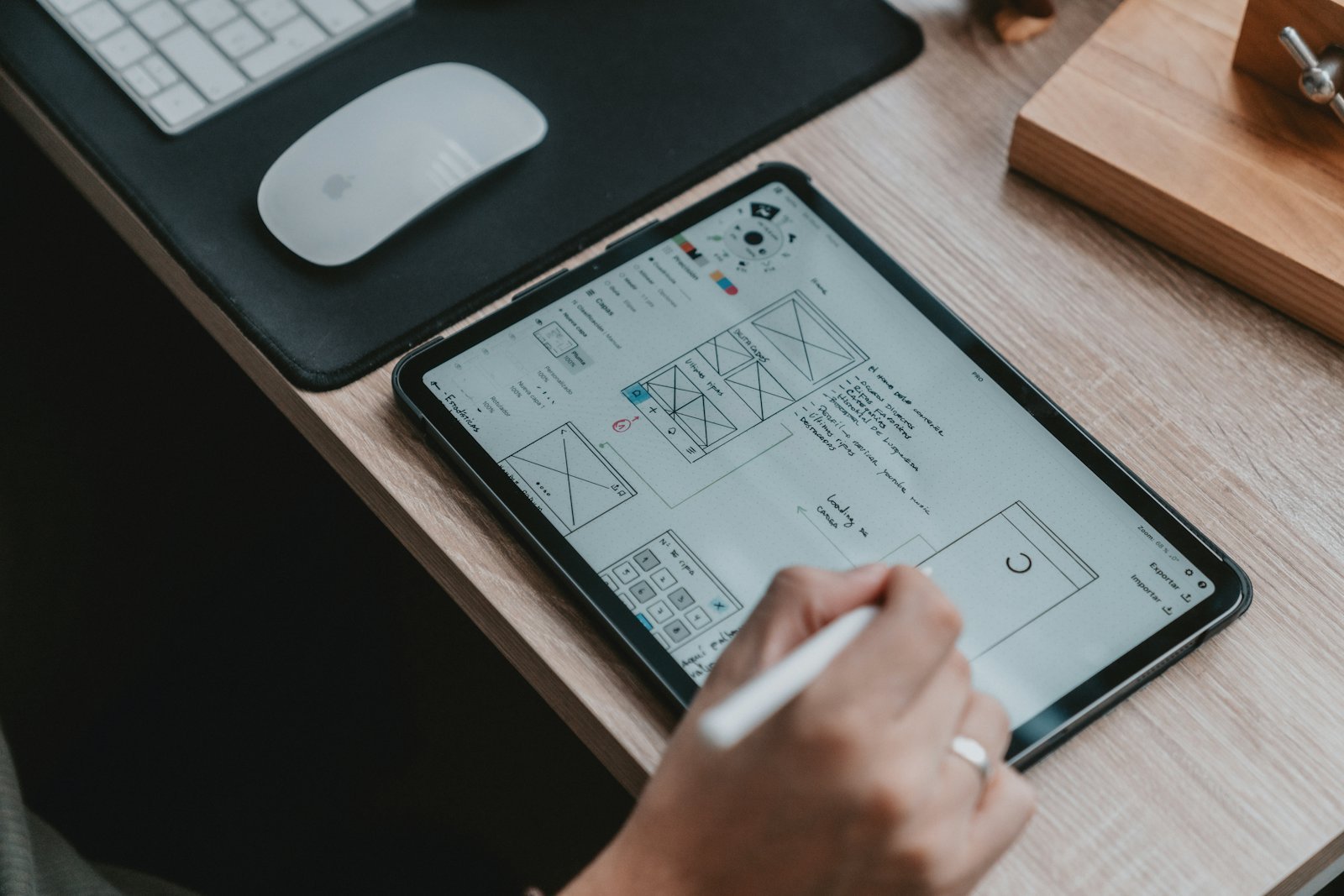
This piece walks through where that shift is showing up concretely, what it means for a designer’s day-to-day role, and how a team can start integrating these tools without eroding the craft that actually differentiates their work.
AI in planning and wireframing
The discovery phase used to be a bottleneck almost entirely made of manual labour: interviewing stakeholders, sketching a sitemap, building low-fidelity wireframes for every page type, then iterating with the client over multiple rounds before anyone touched visual design. AI has collapsed the first draft of that work into a single working session.
Site architecture and sitemaps generate in minutes, not days. Tools like Relume can take a business description and a handful of prompts and output a full sitemap with page hierarchies, then generate low-fidelity wireframes for every page in that structure, ready to drop straight into Figma. What used to be a discovery deliverable that took a week to produce and present is now a starting point you can have in front of a client in the first meeting.
User flows get modelled, not just drawn. Instead of a designer manually mapping every branch of a checkout flow or onboarding sequence, AI-assisted flow tools can propose the flow based on the product type and flag missing states — empty states, error states, edge cases — that are easy to forget when you are sketching by hand under time pressure.
Low-fidelity layouts become negotiable assets, not fixed proposals. Because generating a wireframe variant now costs a prompt instead of an afternoon, teams can put three or four structural directions in front of a client simultaneously — a working session instead of a sequential approval chain. That shortens the discovery cycle from weeks to days, and it changes the client conversation from “approve this one thing” to “pick a direction, and here is why”.
These tools are trained on common patterns, so the first-pass output tends toward convention: standard hero-plus-three-columns layouts, familiar nav structures. That is a feature for utility pages and a limitation for anything that needs to feel distinctive.
Generative assets and media
The asset production pipeline — hero imagery, custom icon sets, micro-interactions, placeholder copy — has historically been where a huge amount of a project’s calendar time disappears, often for the least differentiated parts of the deliverable.
Hero and marketing imagery. Generative image tools have moved from “interesting but off-brand” to genuinely usable production assets, particularly when paired with brand-consistency workflows: locking in a colour palette, style reference and prompt template so that every generated image reads as part of the same visual system rather than a one-off. The practical use case is not “replace the photoshoot”. It is filling the dozens of secondary image slots — blog headers, feature illustrations, empty-state graphics — that never had a photography budget to begin with.
Custom icon sets. Rather than hunting through icon libraries for a close-enough match, or briefing an illustrator for a full custom set, teams are generating icon families in a consistent stroke weight and style, then hand-refining the handful that will actually be seen most — the primary nav icons, the hero graphic — while leaving the AI output as-is for lower-visibility utility icons.
Micro-animations and placeholder copy. AI-assisted animation tools can propose easing curves and transition states for hover effects, loading states and page transitions from a short description, giving motion designers a starting point instead of a blank timeline. Placeholder copy has also matured past lorem ipsum: tools can generate on-brand, on-voice filler for a client presentation, which matters more than it sounds like it should, because generic placeholder text is one of the most common reasons a client’s first reaction to a wireframe is negative.
Code and component generation
This is where the workflow shift is most visible to developers specifically, and it has moved fast. Design-to-code tools — v0, Cursor with Figma-connected workflows, and plugin-based pipelines inside tools like WebStorm — can now take a Figma frame and produce genuinely usable HTML and CSS, React components or Tailwind markup, not just a rough approximation that needs rebuilding from scratch.
Design files translate directly into component code. The realistic workflow looks like this: design in Figma, use a Figma-to-code plugin or MCP-connected agent to generate the initial component, then have a developer refine the output in their IDE with AI pair-programming assistance for state management, accessibility attributes and the responsive edge cases the generator did not fully solve. This is meaningfully different from no-code. It is AI-accelerated hand-coding, where the AI handles first-draft translation and a developer handles correctness.
Custom scripts and interaction logic get scaffolded on demand. Rather than searching Stack Overflow or writing a form validator from scratch, a developer can describe the desired behaviour — a multi-step form with conditional fields, a tab-switching interface, a scroll-triggered animation — and get a working first draft to edit rather than a blank file to fill.
Vibe coding has real limits worth naming. The speed of AI-generated code has produced a documented downside: teams shipping components with accessibility gaps, inconsistent naming conventions, and code that works but does not match the project’s existing architecture, because it was generated in isolation rather than written with the codebase’s conventions in mind. The tools that succeed long-term in professional workflows are the ones that read the existing design system and codebase before generating — matching component patterns, spacing tokens and naming conventions already in use — rather than treating every generation as a blank slate.
The net effect: the boilerplate-to-first-draft step that used to take a junior developer a day now takes an hour. But that hour still needs a senior developer’s review before it ships.
The designer’s evolving role
None of the acceleration above removes the need for a person who understands why a layout works, what a brand should feel like, or where an automated suggestion is quietly wrong. It relocates that judgment to a different point in the process.
Prompt engineering is now a design skill, not just a technical one. Getting a wireframe tool or an image generator to produce something usable on the first pass — rather than five rounds of regeneration — depends on knowing how to describe visual hierarchy, brand tone and layout intent in language precise enough for a model to act on. Designers who are good at this compress their iteration cycles dramatically; designers who are not end up doing more manual cleanup than if they had started from scratch.
Visual refinement is where the actual craft now lives. AI output tends to converge on the statistically common choice: safe spacing, predictable type pairings, conventional colour contrast. The distinctive parts of a design — the details that make a brand recognisable rather than generic — almost always come from a human pass after the AI draft: adjusting rhythm, breaking a grid deliberately, choosing an unexpected colour relationship the model would not have proposed on its own.
Structural auditing is a new, explicit responsibility. Because AI-generated code and layouts can look correct while containing real problems — accessibility violations, semantic HTML that is not actually semantic, components that do not scale to a design system’s real breakpoints — someone on the team now needs to own the audit step specifically. This is not optional quality assurance. It is the primary place where a professional deliverable gets separated from a prototype.
That gap has not closed. If anything it has become more valuable, because it is now the scarce part of the process instead of the whole process.
Auditing and integrating AI into your workflow
For teams deciding how to bring these tools into an existing process without losing quality control, a few concrete starting points.
- Map your workflow and flag the mechanical steps first. Before adopting any tool, list your current build process stage by stage and mark which steps require genuine creative judgment versus which are translation, repetition or boilerplate — first-draft wireframes, icon set production, component scaffolding, placeholder content. Start AI integration on the mechanical steps only. That is where the tools are strongest and the risk of quality loss is lowest.
- Build a review gate into every AI-assisted step, not just a final QA pass. The failure mode is not usually “the AI produced something unusable”. It is “the AI produced something plausible-looking that shipped without a human catching the subtle problem”. Add an explicit review checkpoint immediately after each generation step rather than relying on one review at the very end.
- Feed your tools your actual design system, not a blank prompt. Design-to-code and generation tools perform dramatically better when pointed at your existing component library, brand guidelines and codebase conventions instead of generating from scratch every time. Invest the setup time to connect them to your real design tokens and style guide; it pays back on every subsequent generation.
- Treat prompt quality as a trainable skill across the team. Run an internal session where designers and developers compare the outputs they get from the same tool with different prompt approaches. The gap between a vague prompt and a well-structured one is often the difference between a usable first draft and three wasted regeneration cycles — and that skill transfers to every AI tool the team adopts next.
The mechanics of building a website have genuinely changed, and pretending otherwise wastes real time. But the mechanics were never the hard part of good design. They were just the part that took the longest. AI has taken over the long part. The hard part — knowing what to build, and knowing when the automated answer is wrong — is still, for now, entirely human.
Sources
- Figma AI in 2026: everything it can do, and what it still cannot
- 10 best design-to-code tools for 2026
- Vibe coding a responsive website with Bootstrap and Cursor AI
- AI web design workflow: Relume, Figma and Cursor
- Best AI coding tools for designers 2026: Figma to code, v0 and Codex
- Best AI wireframe generator in 2026: 11 tools compared
- Top 6 AI tools for maintaining brand consistency for 2026
- The vibe coding crisis: is web design becoming a commodity?
- Vibe coding trends 2026: adoption, productivity and code quality data